

Directing AI Like a DP: Creative Techniques to Make AI-Generated Visuals Feel Cinematic in 2026
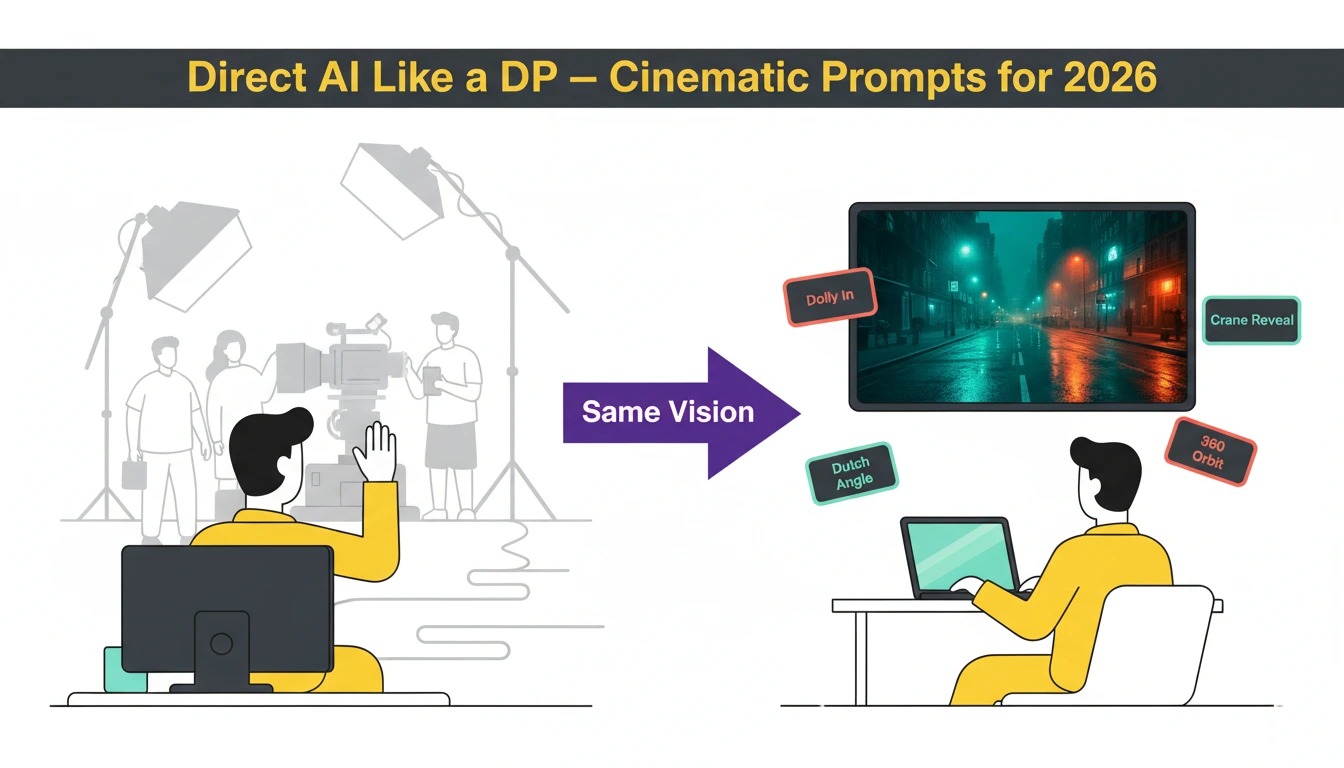
The gap between “AI-generated clip” and “professionally directed sequence” is closing fast—in many applications, it has already closed. In 2026, AI video tools like Veo 3.1, Sora 2 Pro, and Kling 3.0 respond to actual cinematography language: dolly moves, rack focus, Dutch angles, crane reveals—the same vocabulary a Director of Photography uses on set. The difference between amateur AI output and cinematic AI content isn’t the tool—it’s knowing how to direct it. This guide breaks down the exact prompt frameworks, camera techniques, model selection strategies, and production workflows that transform flat AI generations into emotionally resonant, visually arresting sequences worthy of any micro-drama, brand campaign, or film project.
Why Most AI Video Looks Flat (And How to Fix It)
The single biggest giveaway of AI-generated video is a static, lifeless camera. Most creators describe scenes without motion instructions, producing videos where nothing meaningful happens—essentially animated photographs. A weak prompt like “a coffee shop with warm lighting” yields a video where the camera barely moves and nobody does anything.
The fundamental fix: treat every AI video prompt as a director’s shot list, not a scene description. Video prompts differ from image prompts in one critical dimension—time. You must communicate motion, camera behavior, pacing, and temporal progression for AI to generate content that feels directed rather than generated. Every effective video prompt requires six layers: Subject and Action, Environment, Camera Movement, Pacing and Mood, Style and Quality, and Technical Specs like lighting and color palette.
A strong prompt for the same coffee shop: “Slow dolly shot through a cozy coffee shop interior, camera gliding past wooden tables as steam rises from ceramic cups, morning sunlight streaming through floor-to-ceiling windows casting long golden shadows, a barista reaches for a cup in the background, shallow depth of field, warm color palette, cinematic 24fps”. This produces purposeful camera movement, environmental motion, human action—and feels like a scene.
Mastering the Language of Camera Movement
Cinema communicates emotion through camera behavior. Separating your Camera Prompt from your Subject Prompt gives AI models clear spatial instructions, preventing hallucinations and morphing artifacts. Here are the essential movement categories:
Dolly Moves: Creating Depth and Intimacy
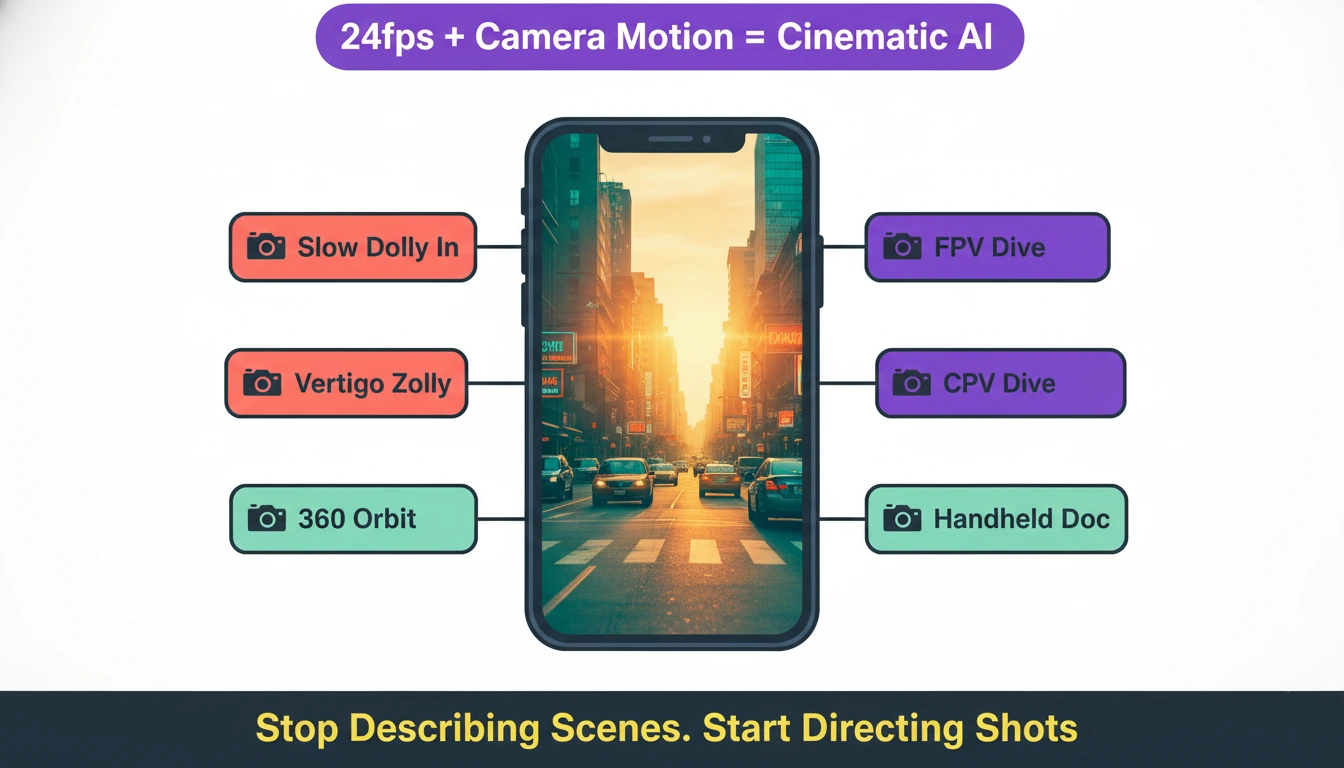
Slow Dolly In moves the camera physically toward the subject—background perspective widens, depth increases, and intimacy builds:
CAMERA: SLOW DOLLY IN (PUSH). The camera physically moves forward through space toward the subject. The background perspective widens and depth increases.
The Vertigo/Zolly Effect—Hitchcock’s signature move—zooms the lens while dollying backward, warping the background while the subject stays constant:
CAMERA: DOLLY ZOOM (ZOLLY). The camera physically moves BACKWARD while simultaneously the lens Zooms IN. The background compresses wildly while the subject size remains constant.
Fast Dolly In (The Rush) creates urgency, shock, or horror:
CAMERA: FAST DOLLY IN / RUSH. The camera moves rapidly forward toward the subject’s face, creating sudden urgency.
Tracking and Lateral Moves: Following the Story
Side Tracking (Parallel) follows a walking character maintaining their profile—used in every dramatic walk scene:
ACTION: WALKING SIDEWAYS. CAMERA: SIDE TRACKING PARALLEL. The subject walks left to right. The camera trucks alongside, keeping them in profile view.
Leading Shot builds anticipation by facing the character as they approach the camera:
ACTION: WALKING FORWARD. CAMERA: LEADING SHOT. The subject walks forward. The camera moves backward at the exact same speed.
Orbital and Crane Moves: Hero Shots and Reveals
360 Orbit delivers the classic hero reveal:
CAMERA: FAST 360 ORBIT. The camera continuously circles the subject in a full loop. The background spins rapidly.
Crane Up Reveal creates epic establishing shots for micro-drama franchise
openings:
CAMERA: CRANE UP. The camera soars upward and backward on a jib arm, ending in a high-angle overhead shot looking down.
Aerial and Drone Shots: Scale and Spectacle
Epic Drone Reveal for establishing sequences:
CAMERA: EPIC DRONE REVEAL. The camera starts low behind a mountain ridge, then rises vertically while tilting down to reveal the subject and horizon.
FPV Drone Dive for aggressive, kinetic energy:
CAMERA: FPV DRONE DIVE. Fast, aggressive camera movement diving rapidly down the side of a building toward the subject.
Stylized Moves: Mood and Genre Signals
Dutch Angle signals psychological unease or villain perspectives:
CAMERA: DUTCH ANGLE. The camera is permanently tilted sideways on its Z-axis, making the horizon line diagonal.
Handheld Documentary creates authentic, human immediacy—perfect for the intimate storytelling that micro-drama hooks demand in the first 3 seconds:
CAMERA: HANDHELD CAMERA. Organic human jitters, slight instability, subtle “breathing” motion. Not perfectly smooth.
Model Selection: Matching Tool to Vision
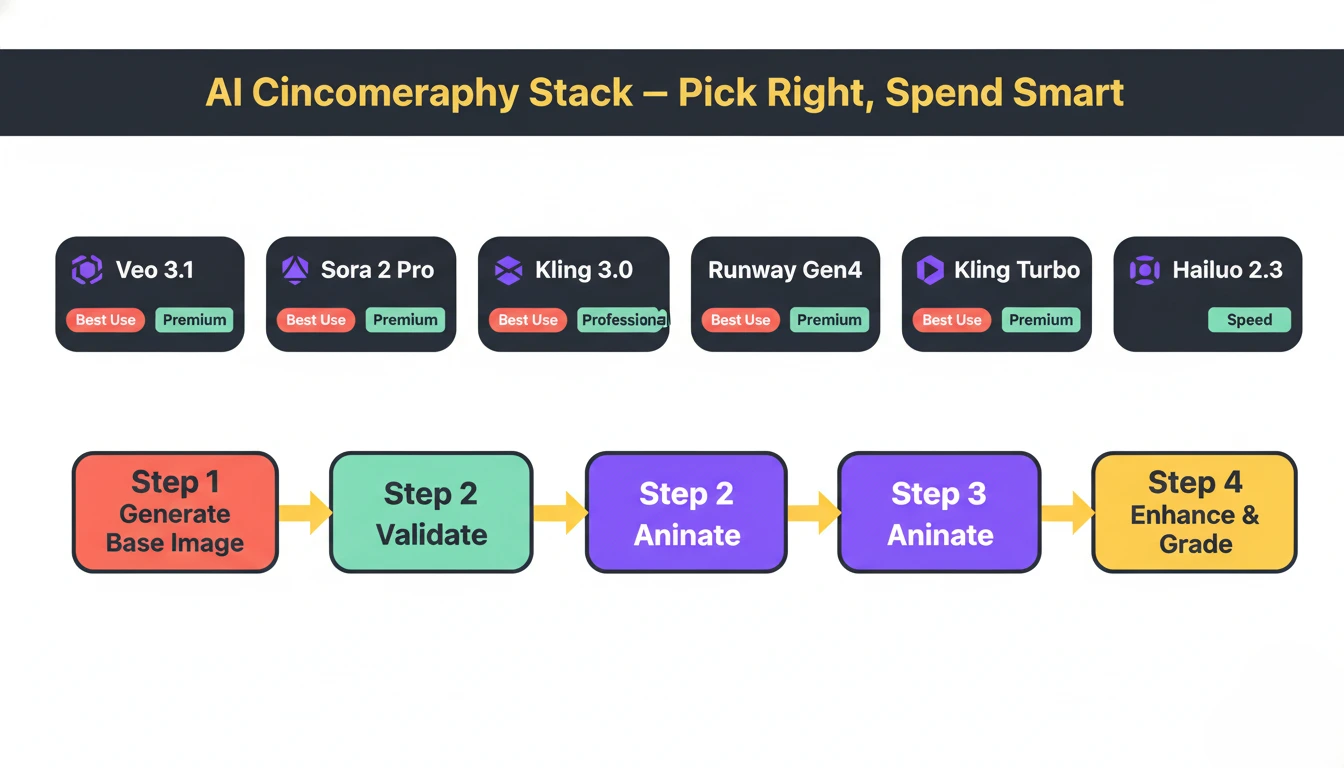
Not all AI video models deliver the same cinematic quality. Understanding which model excels at what saves both time and budget:
| Model | Cinematic Strength | Best Use | Quality Tier |
| Veo 3.1 Quality | Physics accuracy, water, fabrics, environmental lighting | Establishing shots, nature, brand films | Premium |
| Sora 2 Pro | Character consistency, narrative sequences up to 20s | Story-driven micro-drama scenes | Premium |
| Kling 3.0 | Native 4K at 60fps, multi-shot storyboards, integrated audio | Product demos, action, high-res B-roll | Premium |
| Runway Gen4 | Polished commercial aesthetic, editing integration | Brand campaigns, social ads | Professional |
| Kling 2.6 | Dynamic motion, human movement, product reveals | Social media, micro-drama shorts | Professional |
| Hailuo 2.3 | Stylized artistic content, smooth transitions | Themed series, aesthetic content | Professional |
| Kling 2.5 Turbo | Fast iteration, rapid prototyping | Draft testing before premium renders | Speed |
Key workflow principle: Prototype with speed-tier models (Kling Turbo, Seedance) and finalize with premium models (Veo 3.1, Sora 2 Pro)—this saves 60-80% of generation costs. Always validate composition as a static image first before committing expensive video generation credits.
The Image-to-Video Pipeline: Professional Standard
The most powerful cinematic workflow in 2026 follows a four-step pipeline:
text
Step 1: GENERATE BASE IMAGE (cheap)
→ Midjourney/Imagen 4 for perfect composition
→ Lock lighting, framing, subject placement
Step 2: VALIDATE BEFORE COMMITTING
→ Review image—fix issues cheaply
→ Saves 10x cost vs re-rendering video
Step 3: ANIMATE WITH VIDEO MODEL
→ Add camera movement + motion prompts
→ Choose model matching content type
Step 4: ENHANCE AND UPSCALE
→ Topaz Video Upscaler for resolution
→ Color grading for cinematic look
This pipeline gives you compositional control impossible with pure text-to-video while maintaining AI efficiency. For AI-edited micro-drama production, this replaces location shoots entirely for establishing shots, atmospheric B-roll, and transition sequences.
Lighting and Color: The Invisible Cinematography
Professional cinematographers know lighting defines the emotional register of a scene before a single word of dialogue. AI models respond powerfully to specific lighting language:
Emotional Lighting Prompts:
- “Golden hour, long shadows, warm amber glow through dusty windows” → nostalgia, warmth
- “Cold blue-white clinical fluorescent overhead, hard shadows” → tension, clinical unease
- “Single source candlelight, deep shadows, intimate close-up” → vulnerability, romance
- “Overcast diffused sky, even flat light, muted palette” → melancholy, realism
- “Neon wet streets, rain-reflected lights, high contrast” → urban thriller aesthetic
Color Grading in Prompts: Specify exact color treatment rather than leaving it to AI defaults:
- “Teal and orange cinematic grade, shallow depth of field, lens flare” → blockbuster commercial feel
- “Desaturated muted tones, lifted blacks, film grain 35mm” → indie drama authenticity
- “High contrast, punchy saturation, vivid primaries” → viral social content
For micro-drama sound design integration, 2026 tools like Kling 3.0 generate synchronized audio-visual content—ambient sound, dialogue pacing, and musical rhythm informing visual generation from frame one.
Cinematic Consistency Across Episodes
The biggest technical challenge for AI-generated micro-drama series is visual consistency—maintaining the same character appearance, lighting environment, and cinematographic style across 50+ episodes. Solutions in 2026:
Seed Locking: When you find a composition that works, lock the seed value to reproduce the same base structure while iterating on prompts—essential for creating consistent series where multiple clips share an aesthetic.
Style References: Use image-to-video workflows with a consistent reference image as the first frame, ensuring character appearance, costume, and environment remain stable.
LTX Studio’s Neural Memory: Maintains character consistency across entire franchise runs, matching lighting setups, camera angles, and visual styles between sequel productions.
Prompt Templates: Build standardized prompt libraries organized by content type—“Character: [Name], Environment: [Location], Camera: [Move], Lighting: [Type], Grade: [Style]”—ensuring every shot across a franchise universe follows the same visual language.
Technical Specs for Cinematic Output
Frame Rate: Always specify 24fps for cinematic content—it creates the film-like motion blur and temporal rhythm audiences associate with high-quality production. Social content works at 30fps; 60fps suits action and product demos.
Duration Strategy: AI models produce optimal quality at 5-8 seconds—extending beyond 10 seconds introduces motion degradation. Generate multiple 5-8 second clips and edit them together rather than forcing single long generations.
Resolution Matching: Generate at 1080p for social platforms (TikTok/Instagram compress uploads anyway), reserve 4K generation for hero content, presentations, or footage requiring heavy cropping.
Negative Prompts: Critical for video—suppress common artifacts including “jittery motion, morphing, flickering, frame inconsistency, distorted faces, unnatural movement, blurry, watermark”.
Aspect Ratio First: Set 9:16 (vertical) for micro-drama before generating—changing after requires complete re-renders and loses 60%+ of the frame.
Pro Prompting Principles
- Separate Camera from Subject: “[CAMERA: SLOW DOLLY IN] [SUBJECT: Woman turns to face camera, tears forming]”—clarity prevents AI confusion
- Motion Is Mandatory: Every prompt must describe what moves, how fast, and in what direction
- Layer Sensory Details: Include implied sound, temperature, texture—“dusty, dry air,” “rain-soaked cobblestones”—which influence visual generation
- Iterate, Don’t Overthink: AI filmmaking is probabilistic—generate 3-5 variations of each shot, select the best
- Combine Moves Carefully: Combining two camera moves (dolly + orbit) works but overloading prompts causes AI to default to static shots
FAQ’S
What’s the most important element to include in AI video prompts for cinematic results?
Camera movement direction—dolly, tracking, crane, handheld—is the single most critical element; without it, AI produces static, lifeless footage regardless of scene quality.
Which AI model is best for cinematic micro-drama production in 2026?
Veo 3.1 Quality leads for environmental realism; Sora 2 Pro excels at character-consistent narrative sequences; Kling 3.0 delivers native 4K with integrated audio.
How do you maintain visual consistency across AI-generated episode series?
Lock seed values for composition consistency, use image-to-video workflows with fixed reference frames, build standardized prompt templates, and use LTX Studio’s neural character memory.
What frame rate creates the most cinematic feel in AI video?
24fps creates film-like motion blur and temporal rhythm audiences associate with cinema—always specify it for narrative micro-drama and brand content.
How do I avoid the “uncanny valley” effect in AI-generated characters?
Use image-to-video rather than text-to-video for character shots, add negative prompts suppressing morphing and flickering, use premium models (Sora 2, Veo 3.1), and specify realistic micro-expressions rather than generic emotions.